By hour five of a typical remote workday, my legs would start feeling heavy. Not painful, just wrong. A dull pressure behind the knees, feet that felt slightly swollen inside my shoes, and a restlessness that made it hard to concentrate. I chalked it up to being out of shape. Then I started looking at what was actually happening physiologically when you sit for six to eight hours straight, and the answer had nothing to do with fitness. The single accessory that helped me most, an Everlasting Comfort footrest under the desk, comes later in this guide, but the why matters first.
Leg fatigue from prolonged sitting is almost always a circulation and posture problem. When your feet hang slightly above the floor, or your chair is even a centimeter too high, the edge of the seat pan compresses the backs of your thighs and slows venous return. Blood pools in your calves and feet. That is what causes the heaviness and the dull ache. The fix is not a standing desk or a treadmill desk. It is a handful of adjustments you can make today, and one small accessory that costs less than a trip to the pharmacy.
If your legs ache after a full workday, your feet probably need support right now
The Everlasting Comfort memory foam footrest has 28,000 reviews and a 4.6-star rating. It is affordably priced and ships fast. Check today's price before you keep reading, because everything in this guide works better once your feet are properly supported.
Amazon Check Today's Price on Amazon →Step 1: Set Your Chair Height So Your Thighs Are Parallel to the Floor
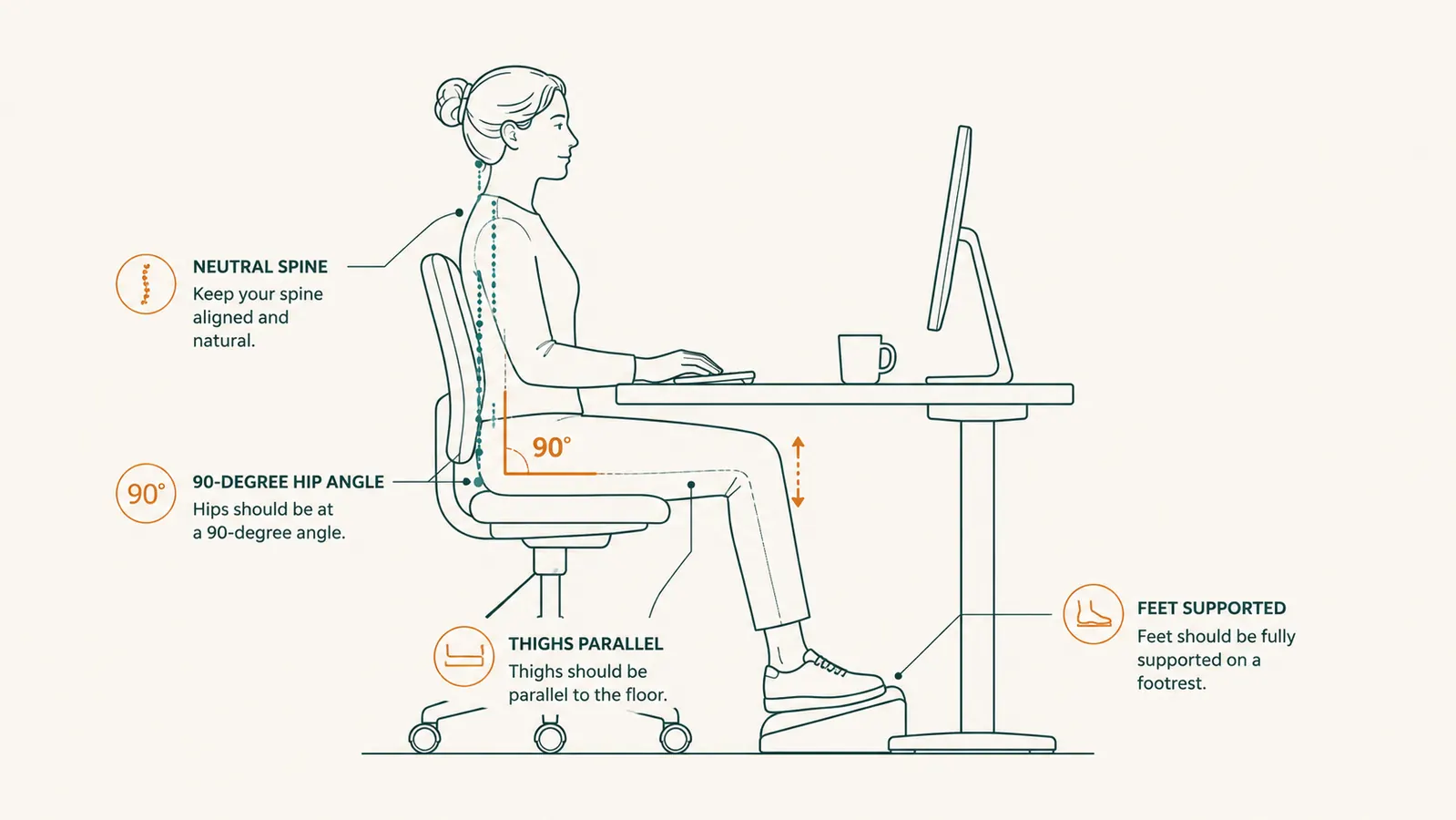
This is the single highest-leverage adjustment most remote workers skip. The goal is simple: when you sit back fully in your chair with your feet flat on the floor (or on a footrest), your thighs should be roughly parallel to the ground. Your hips should be at or slightly above 90 degrees. If the chair is too low, your knees come up and you slouch. If the chair is too high, the edge of the seat digs into the backs of your thighs.
Most office chairs adjust from about 16 to 21 inches off the floor. Measure the distance from the floor to the back of your knee while standing. That number is your target seat height. Set it there, then sit down and check: can you slide two fingers under your thigh near the knee without effort? If not, the seat is too high and you need either a lower chair or a footrest to bring the floor up to meet your feet. For the majority of people sitting at a standard 30-inch desk, a footrest closes this gap immediately.
Do not skip this step because it sounds too basic. I spent two years assuming my chair was fine because it felt fine when I first sat down. The problem only shows up after hour three or four, when the cumulative compression of a slightly-too-high seat has been squeezing your hamstrings all morning.
Step 2: Add a Footrest to Eliminate Thigh Compression
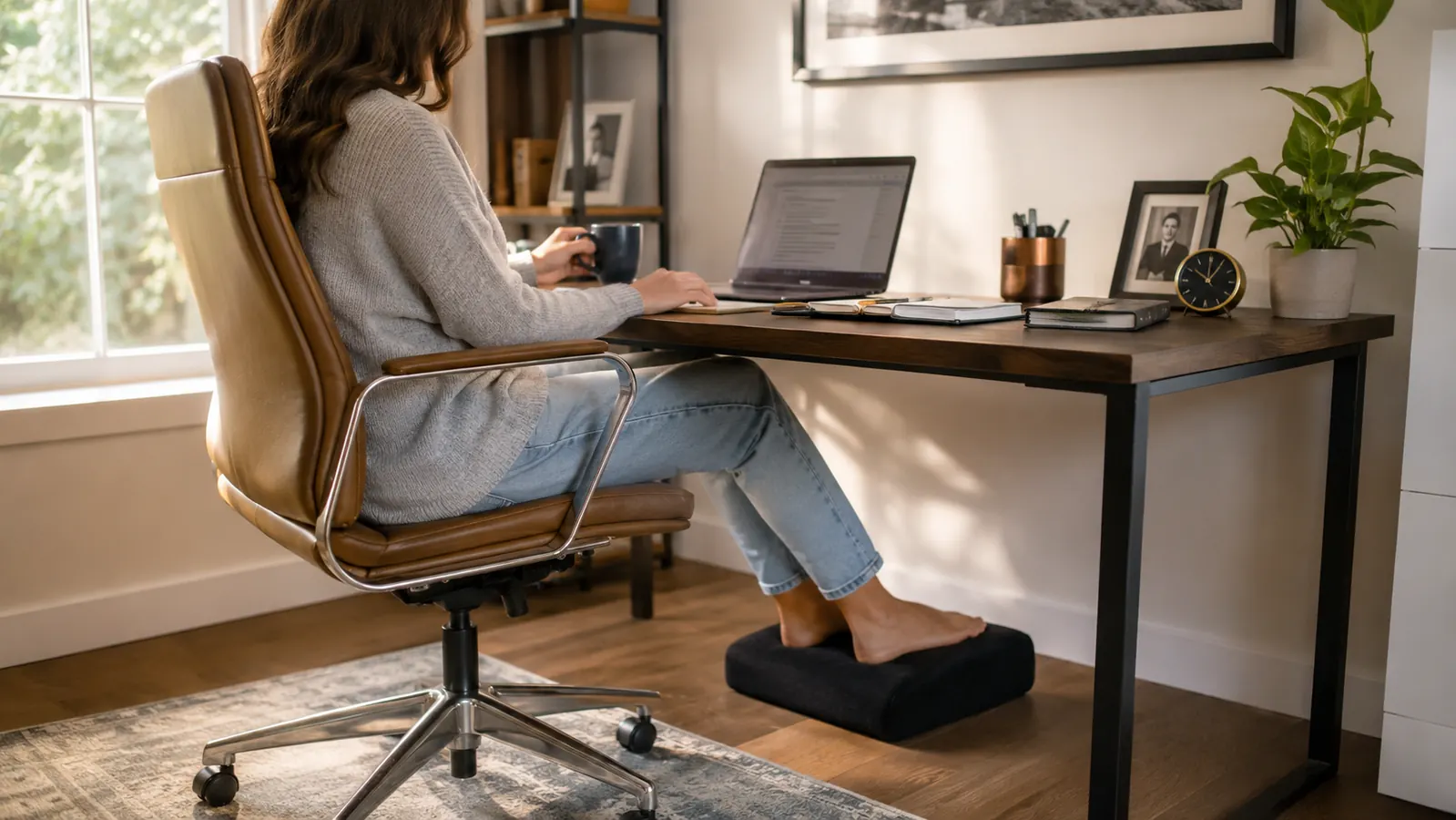
Once your chair height is set correctly for your desk, your feet may no longer reach the floor flat. That is normal. A standard 30-inch desk requires most people shorter than 5 feet 10 inches to either lower their chair (which often puts the desk too high for their arms) or use a footrest. A footrest raises the effective floor height so your feet are fully supported, which removes the compressive pressure from the seat edge on your thigh.
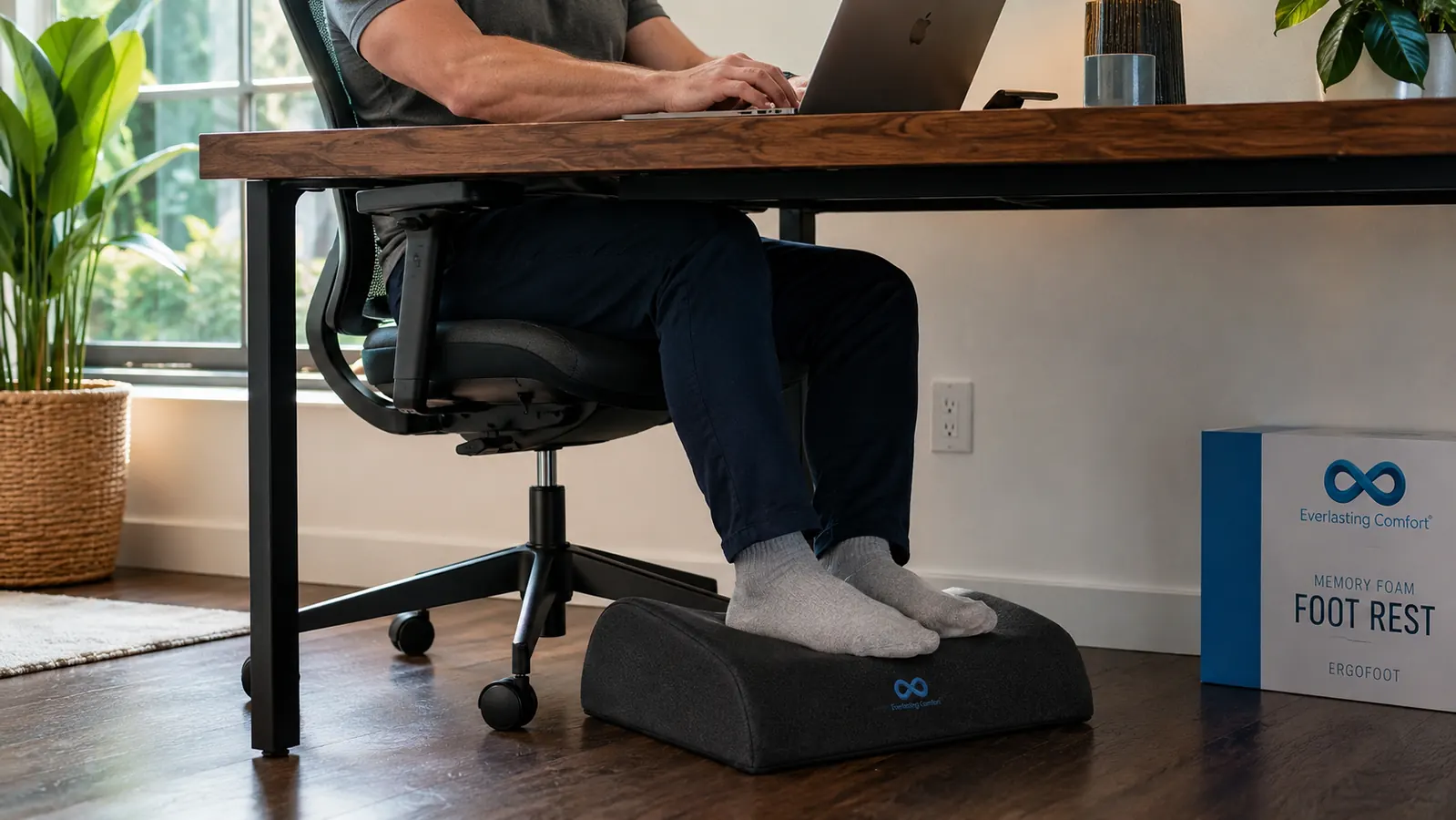
The Everlasting Comfort foot rest under desk is what I use. It is a memory foam cushion, roughly 17.5 by 13.5 inches, with a velvet cover and a slight forward slope. The foam is dense enough to support foot weight without bottoming out but soft enough that it feels like active cushioning rather than a hard platform. The slope matters: a flat surface lets your feet go numb over time, but the slight incline keeps your ankle at a mild flex that encourages small muscle contractions and better blood flow.
After switching to a footrest, the leg heaviness I described at the start of this guide dropped noticeably within the first week. The reason is straightforward: my thighs were finally parallel to the floor, the seat edge was no longer compressing the back of my legs, and my feet had somewhere to rest that was not the bare floor far below them. At 28,062 reviews and a 4.6-star rating, the evidence that this product solves a real problem is not from the manufacturer. It is from tens of thousands of remote workers who ran the same experiment I did.
One note on fit: the footrest works best under desks with clearance of at least 5 to 6 inches from the floor to the underside. Measure before ordering if your desk has a full modesty panel. Standard open-leg desks and most writing desks have no issue.
Step 3: Take a Micro-Movement Break Every 45 Minutes
Posture and support tools get you most of the way there, but your circulatory system still needs periodic help. Sitting still for more than 45 to 60 minutes reduces blood flow in the lower extremities even when your posture is perfect. The fix is not a full gym session. It is 90 seconds of movement: stand up, walk to the kitchen, do five calf raises while waiting for water, come back. That brief interruption is enough to re-engage the calf muscle pump and push pooled blood back toward the heart.
I use a simple rule: every time I finish a defined task block, I stand before starting the next one. No timer needed. If your work does not break naturally into task blocks, a phone reminder every 45 minutes works. What does not work is resolving to stand up whenever you feel uncomfortable. By the time you feel uncomfortable, you have already been sitting too long. Build the break into the workflow before the discomfort appears.
While you are standing, two stretches make a real difference. First, stand on your toes for a count of five, lower slowly. Repeat five times. This activates the calf pump. Second, stand with your feet shoulder-width apart and shift your weight side to side ten times. Neither takes more than a minute and both noticeably reduce the heavy-leg sensation when you sit back down.
By the time you feel uncomfortable from sitting, you have already been sitting too long. Build the break into your workflow before the discomfort arrives.

Step 4: Check Your Footwear for the Home Office
This one surprises people. A lot of remote workers work in bare feet or thin socks on a hard floor. This is worse for leg fatigue than it sounds. When your feet rest flat on a hard surface with no cushioning, the plantar fascia and the small muscles of the foot are under constant low-level tension trying to stabilize against the rigid surface. That tension travels up through the ankle into the calf, contributing to the tired-leg feeling.
Wearing a pair of cushioned slippers or lightweight house shoes at your desk makes a measurable difference. They do not need to be expensive. Any slipper with a contoured foam footbed will do. If you prefer bare feet or socks, then a memory foam footrest becomes even more important, because it provides the cushioning your footwear is not.
I switched from working in socks on hardwood to wearing a pair of recovery-focused house slippers at my desk. Combined with the footrest, the afternoon heaviness I used to feel in my calves is almost entirely gone. You do not need both, but one or the other is not optional if you want to work through an eight-hour day without your legs feeling like sandbags by 4pm.
Step 5: Address Desk Height So Your Arms and Legs Work Together
The final piece is desk height. Most fixed desks are built for someone around 5 feet 10 inches tall, which means they are too high for a significant portion of the remote workforce. When the desk is too high, people raise their chair to compensate, which then puts their feet off the floor and compresses their thighs. You are chasing the right arm position at the cost of the right leg position.
The correct setup is: set your desk height first based on your elbow position. Sitting upright with relaxed shoulders, your elbows should be roughly level with the desk surface. Then set your chair to put your thighs parallel to the floor. If your feet do not reach the floor at that chair height, a footrest is not a compromise. It is the correct tool for a standard-height fixed desk.
If you are dealing with a fixed desk that is genuinely too high for your proportions (this is common for anyone under 5 feet 6 inches), a desk converter or a height-adjustable desk solves the root cause. That is a larger investment, but it fixes both your arm ergonomics and your leg position simultaneously. The VIVO desk converter is one option worth reading about if you are at that stage.
What Else Helps
Hydration is genuinely relevant here. Mild dehydration makes blood slightly more viscous, which compounds the circulation slowdown that sitting already causes. Keeping water at your desk and actually drinking it across the day is not a wellness cliche. It is a factor in how your legs feel at 5pm.
Compression socks designed for desk workers have also earned some real-world evidence behind them. They are not essential if you follow the steps above, but if you have a job that keeps you chained to the screen for long uninterrupted stretches, mild graduated compression (15 to 20 mmHg) in a knee-high sock can noticeably reduce the pooling sensation. They look like regular dress socks and nobody at your video calls will know the difference.
Finally, if you have already incorporated a standing desk converter into your setup, you are naturally breaking the sitting pattern throughout the day. The standing intervals are doing some of the work the movement breaks would otherwise do. In that case, pairing a footrest for seated sessions with an anti-fatigue mat for standing sessions covers both bases. The footrest handles the sitting problem. The anti-fatigue mat handles the standing problem. Together they make a full ergonomic floor solution at a budget-friendly price point.
The footrest is the fastest fix on this list. Everything else helps, but this one you can feel on day one.
The Everlasting Comfort memory foam footrest is the most reviewed footrest on Amazon for a reason. Dense foam, non-slip bottom, machine-washable velvet cover. Affordably priced. Ships in days. If your legs are heavy by mid-afternoon, this is where to start.
Amazon Check Today's Price on Amazon →