
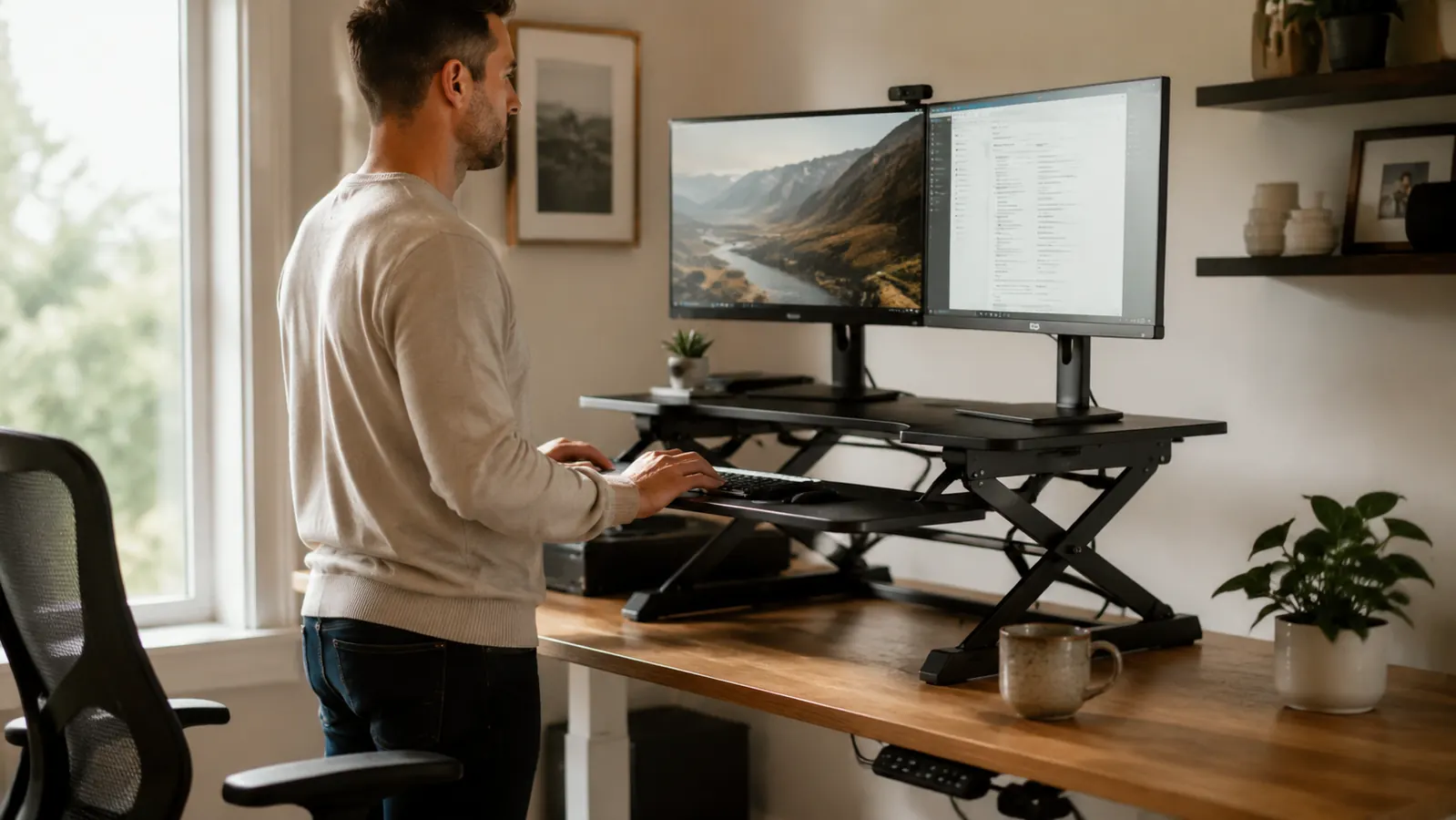
In March 2025, after three years of working remotely, my lower back finally made the decision for me. I was logging eight to nine hours a day at a fixed-height IKEA desk, and by Friday afternoons I was standing up from my chair like a man twice my age. My chiropractor said the same thing your doctor probably says: sit less, move more. I went looking for a standing desk converter instead of a full replacement desk, because I was not willing to spend premium money on a motorized frame for a rented apartment. I landed on the VIVO K-Series 32-inch converter. I have been using it every workday since April 2025, and this is the review I wish had existed before I bought it.
The short version: it does the job, it has held up structurally, and it is a legitimate back-pain reducer if you actually use it. The longer version includes a wobble issue that took me three weeks to figure out, a keyboard tray that is simultaneously the product's best and most annoying feature, and a few things the Amazon listing photographs do not prepare you for.
The Quick Verdict
A durable, well-built converter that delivers real ergonomic value for remote workers who cannot justify a full standing desk. The wobble at max height is real but manageable once you understand it.
Amazon Check Today's Price →Your back has been waiting 14 months for this converter. Check if it's still in stock.
VIVO's K-Series 32" converter is what I use every single workday. Gas spring lift, dual monitor surface, built-in keyboard tray. If your lower back has been talking to you, this is a straightforward fix.
Amazon Check Today's Price on Amazon →How I've Used It
My setup is a 5-foot IKEA LINNMON tabletop on ALEX drawer units, sitting in a 10x10 spare bedroom I converted to a home office. I run two 24-inch monitors side by side. My job involves roughly six hours of writing and two hours of video calls per day. I am 5'11" and 185 pounds. I mention this because fit matters a lot with desk converters, and a review from someone with a different setup is only partially useful to you.
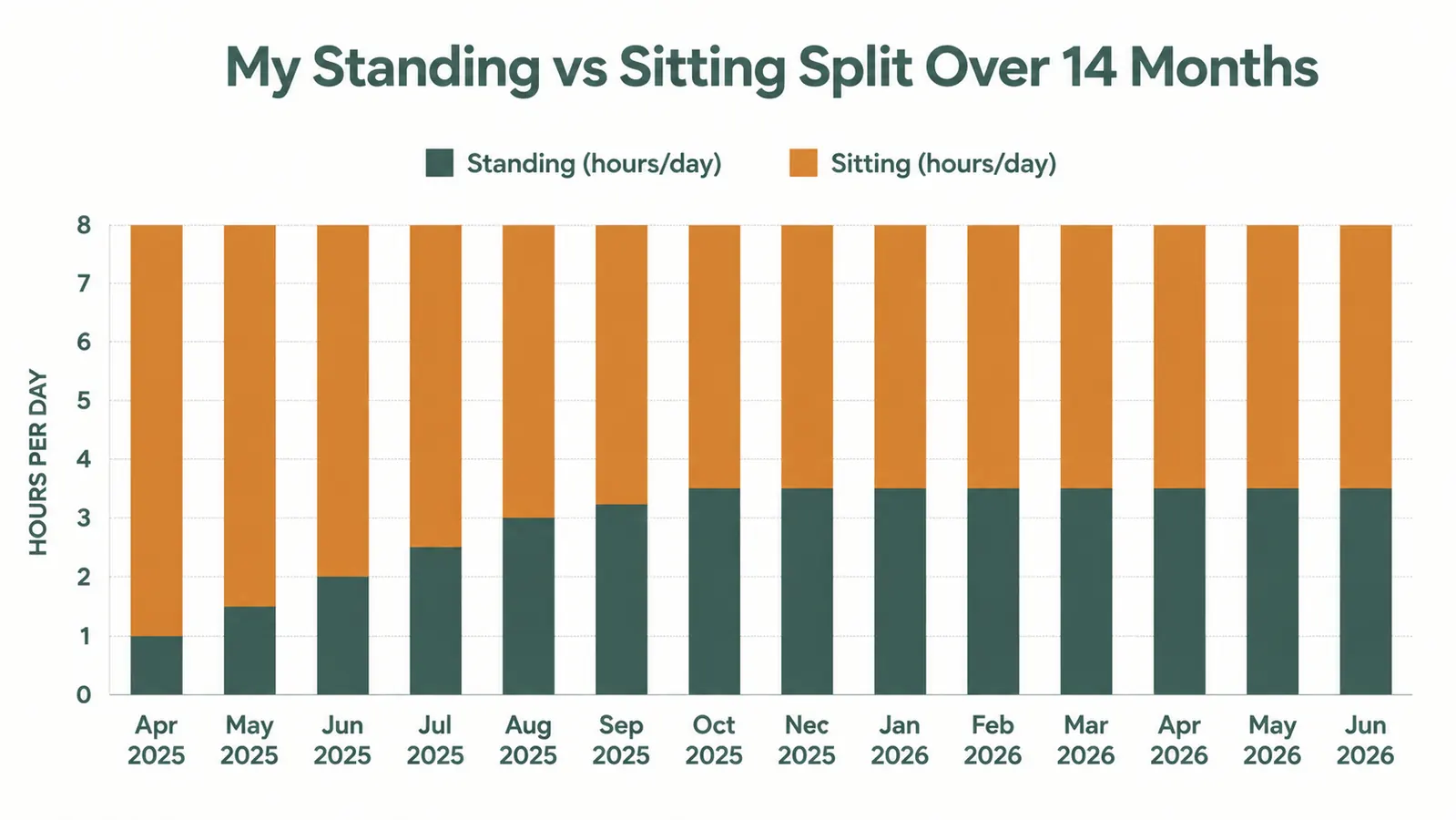
I started in April 2025 standing about 45 minutes total per workday, split into two sessions. By month three I was standing two hours a day. By month six I had settled into a rhythm of about three to three and a half hours standing, alternating every 45 to 60 minutes. The chart below tracks that progression. The converter made the transition gradual instead of all-or-nothing, which I credit with actually making the habit stick.
I lower it all the way down at the start of every morning, raise it around 9:30 AM for my first standing session, and repeat the cycle. The gas spring mechanism handles that transition in about three seconds. I have raised and lowered this converter more than 700 times by my count. It still feels exactly the same as it did on day one.
Setup and First Impressions
The box weighs close to 50 pounds and VIVO ships it well-packaged. Assembly took me 25 minutes including the time I spent re-reading the instruction sheet because I initially installed the monitor surface upside down. The scissor-lift mechanism comes pre-assembled. You are mostly attaching the surface platforms and adjusting the spring tension. The included hex wrench is adequate. You do not need any tools beyond what comes in the box.
The finished product looks more substantial in person than in product photos. The steel frame is noticeably heavy-gauge. The platform surfaces are a matte black laminate that takes light scratches but nothing deep in 14 months of daily use. My biggest first-impression concern was footprint: at sitting height, the converter takes up about 32 inches of desk width and 14 inches of depth. That is a real chunk of your desk, and if your desk is a standard 48-inch IKEA unit, plan on it occupying about two-thirds of the top surface.
The Wobble Question
I am going to answer the question every standing desk converter shopper is actually asking: yes, there is wobble. But it is conditional. At sitting height or the first few inches of lift, the converter is rock solid. At mid-range heights, which covers most of my 5'11" standing position, there is a small amount of lateral sway when I type hard or bump the desk. It is noticeable but not distracting. At maximum height, the wobble is significant enough that I stopped using max height entirely. My monitors shake when I type at maximum extension and that bothered me immediately.
The fix I landed on: I set the standing height to about three-quarters of maximum, which put the monitor tops at roughly eye level for me. At that height the wobble is minimal. I also placed a silicone anti-slip mat between the converter base and my desk surface, which absorbed some of the resonance. If you are taller than 6'2" and need the converter near maximum height, the wobble may genuinely bother you. If you are average height or shorter, you will likely never need to go that high and the issue disappears.
At three-quarters of maximum height, the wobble essentially disappears. The max-height shaking is real, but most people never need to go that high.
Dual Monitor Performance
The 32-inch platform is marketed for dual monitors, and it legitimately handles two 24-inch panels without complaint. I run a Dell P2422H on the left and a slightly older Acer 24-inch on the right. Both sit flat on the platform surface, which is wide enough to arrange them with a small gap between bezels. VIVO sells monitor arms separately; I have not used them because the platform surface works fine for my setup.
There is a cable management channel along the back edge of the platform that I use to route my monitor cables. It is not a full cable management system, but it keeps the cords from dangling freely when the platform is raised. I added a small velcro cable tie at the base of the scissor lift to prevent cables from snagging during height adjustment, which I recommend doing before you route any cables.
One genuine limitation: if you run monitors with thick bezels and a total monitor width beyond 48 inches, the 32-inch platform starts to feel cramped. I have tested it with two 27-inch panels and the fit was tight. For dual 24-inch or smaller monitors, the platform size is appropriate. For dual 27-inch or larger, consider the VIVO 40-inch variant instead.

The Keyboard Tray
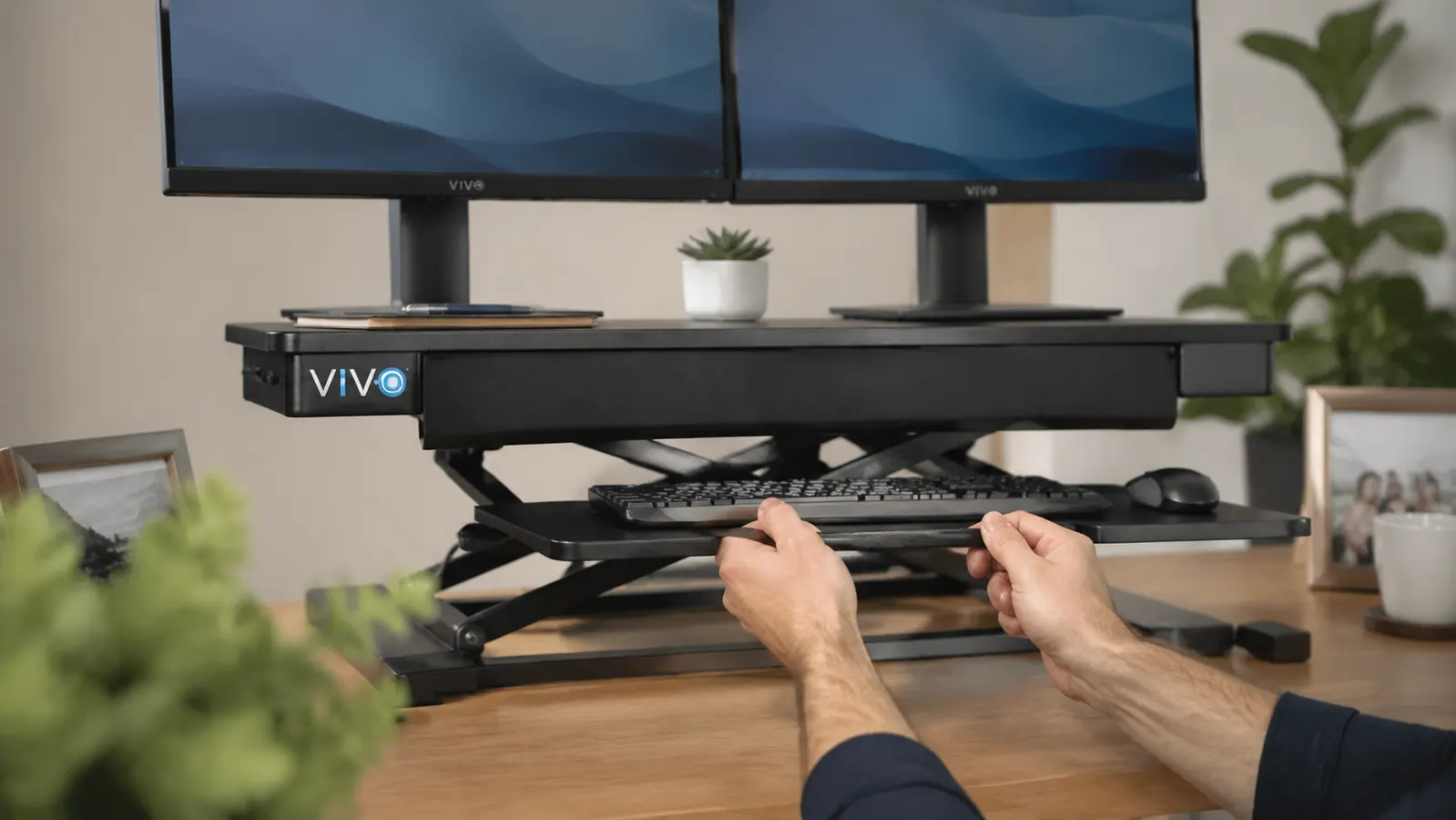
The built-in keyboard tray is the most divisive feature on the K-Series, and for good reason. It extends out from beneath the main platform on a tilt-adjustable rail, which puts your keyboard at a lower position than the monitor surface. This is technically correct ergonomics: your keyboard should sit lower than your monitors, and your elbows should be at roughly 90 degrees when typing. VIVO's tray achieves that geometry.
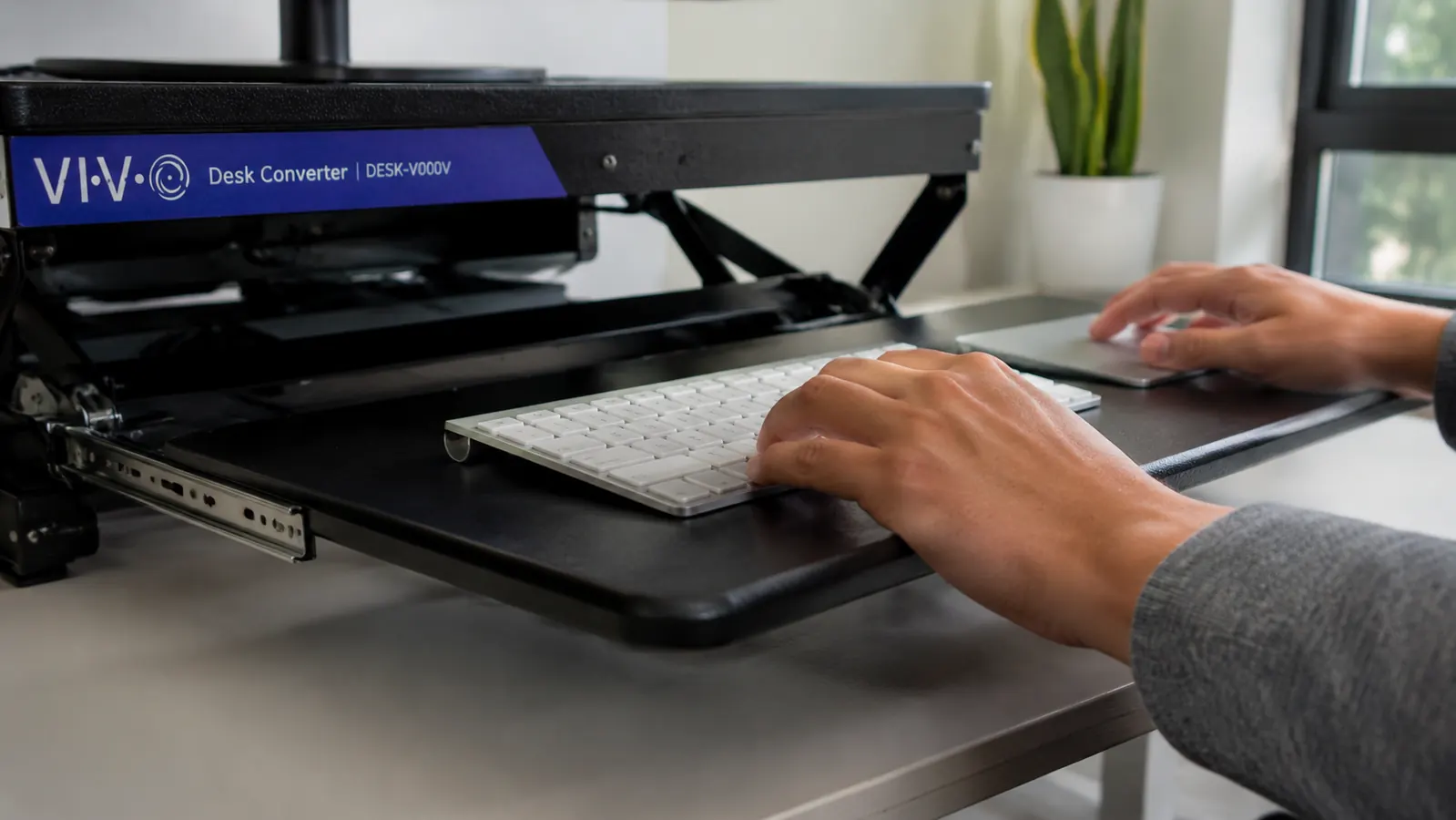
In practice, the tray introduced three weeks of adjustment frustration. My mouse runs out of room on the right side of the tray when I am standing, because the tray is optimized for keyboard width, not for a full keyboard-plus-mouse layout. I now use a compact wireless mouse that fits within the tray footprint. If you use a standard full-size mouse with an extended mouse pad, this will be a pain point.
The tray also locks in place with a knob that loosens slightly under heavy typing. I tighten it weekly, which is a minor irritation. On the positive side, having a dedicated keyboard tray means my monitor surface stays completely clear, which genuinely improves my focus. No keyboard clutter at eye level. That alone is worth the minor tray friction.
What Changed After 14 Months
The back pain that sent me shopping in March 2025 has measurably improved. I still get tight after a long Friday if I skip my standing sessions, but the chronic daily ache is gone. I am not going to attribute all of that to the desk converter, because I also started doing 15 minutes of morning movement and bought a better chair. But the converter is the most significant single change I made to my desk setup and I notice the difference on weeks when I travel and sit at fixed-height desks for days straight.
Structurally, the converter is unchanged. The gas spring still feels like new. No wobble increase over time. The platform laminate has a few light surface scratches from dragging a notebook around, but nothing that would indicate the unit is failing. The keyboard tray rail still works smoothly. I have not had to tighten any bolts beyond the routine weekly tray-knob tightening.
The one component that has degraded slightly is the spring tension calibration. When I first assembled the unit I adjusted the tension for my monitor weight, and I have not touched it since. Over 14 months it has drifted very slightly, meaning the platform no longer holds its position perfectly at mid-range heights without a small downward drift over a few minutes. It is not a safety issue but it is a minor annoyance. VIVO's instructions cover spring tension adjustment and it takes about two minutes to fix. I have simply not gotten around to it yet.
What I Liked
- Gas spring mechanism still operates smoothly after 700-plus raise/lower cycles
- 32-inch platform handles dual 24-inch monitors comfortably with cable channel included
- Wobble is genuinely minimal at appropriate standing heights for average users
- Built-in keyboard tray creates proper ergonomic geometry without a separate purchase
- Scissor-lift design is noticeably more stable than X-lift alternatives in the same price range
- Assembly is under 30 minutes with the included tools
Where It Falls Short
- Keyboard tray is narrow for keyboard-plus-full-size-mouse setups
- Significant wobble at maximum height makes max height unusable for typing
- Spring tension drifts slightly after several months and requires occasional recalibration
- 32-inch platform is too narrow for dual 27-inch or larger monitor pairs
- Keyboard tray locking knob loosens under heavy daily typing
Who This Is For
This converter is the right buy if you have an existing desk you want to keep, a budget that stops well below full sit-stand desks, and a monitor setup that fits within 32 inches. Remote workers running dual monitors up to 24 inches who type for several hours a day will get the full benefit. It is also the right choice if you are not yet sure how much you will actually use standing mode. Buying a premium motorized desk before you know whether you will stick to a standing habit is a harder decision. At this converter's price point, the commitment is lower and the reward is comparable if you do stick with it.
If you want to understand the full comparison between converters and full standing desks before deciding, I laid that out in detail in my piece on the VIVO desk converter versus a full standing desk. And if you are still weighing whether standing at your desk is even worth changing anything, the 10 reasons a standing desk converter beats sitting all day article covers the practical case without the hype.
Who Should Skip It
Skip this converter if you are taller than 6'2" and need maximum height extension regularly. The wobble at full extension is a deal-breaker for productive work. Also skip it if your current desk is under 48 inches wide, since at sitting height the converter's footprint leaves you very little working surface around it. If you have dual monitors larger than 24 inches, step up to the 40-inch VIVO variant or budget for a full standing desk with a larger top. And if you already know you will stand three-plus hours daily and intend to keep this setup long-term, a motorized sit-stand desk may be worth the higher price for the added stability and surface space.
14 months in, I would buy this converter again. Here is where to check today's price.
The VIVO K-Series 32" is the converter I actually use, on the desk I actually work at, every single workday. It has 12,831 Amazon reviews and a 4.6-star rating for a reason. If your back is telling you something needs to change, this is a direct, practical fix.
Amazon Check Today's Price on Amazon →