
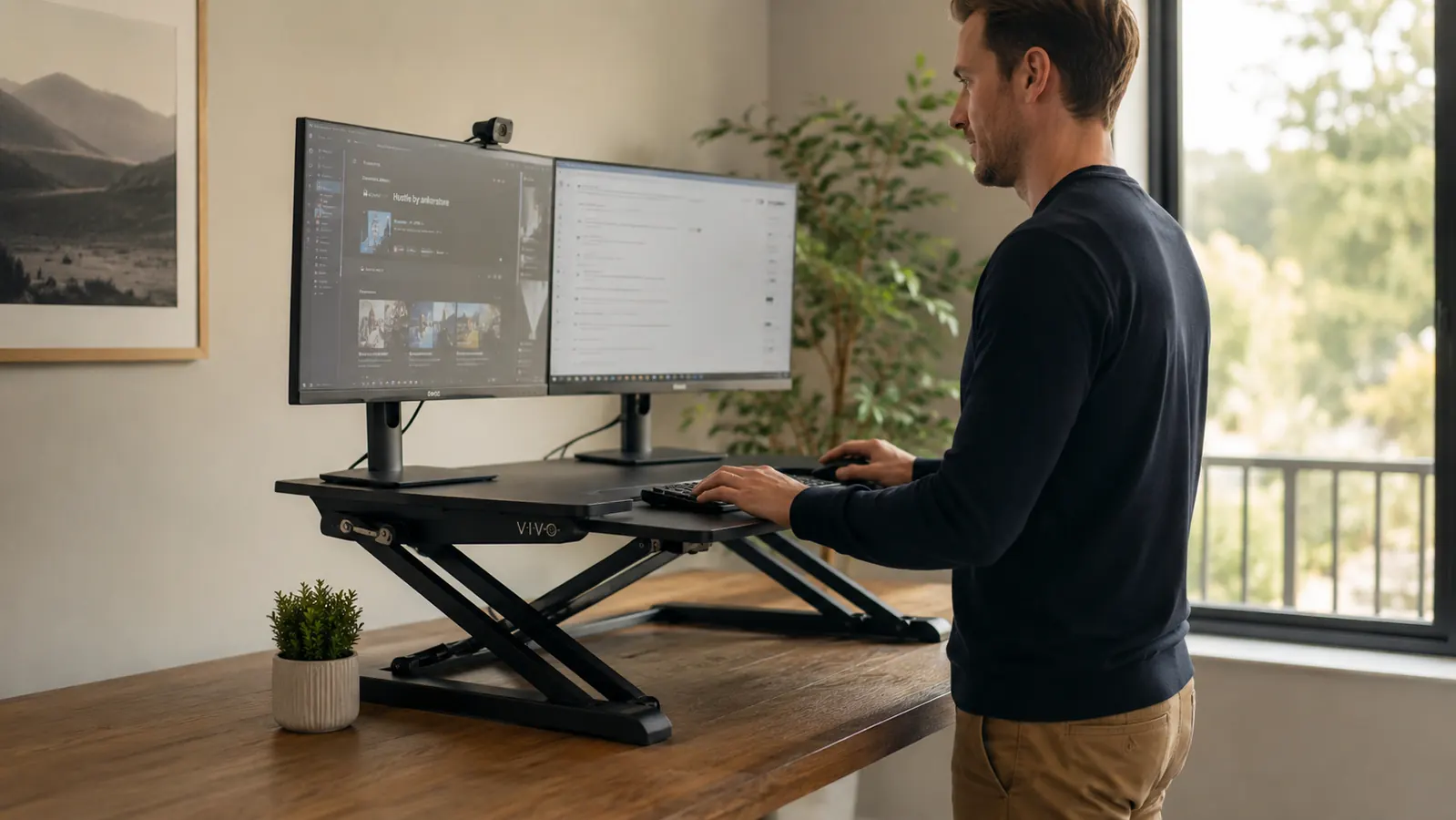
I want to be upfront about something before we get into this review: the VIVO 32-inch desk converter has over 12,000 ratings on Amazon and a 4.6-star average. It is genuinely popular, and for most people buying it, it does what they expect. But popularity and honesty are not the same thing, and the reviews that helped me most were the ones that told me what the listing page skipped. So that is what I am going to do here.
I am Marcus Reed. I work from home full-time, have for six years, and I have had the VIVO K-Series sitting on my desk long enough to have real opinions about it. Not the kind you form in the first week when everything still feels exciting. The kind you form when you have had to push the thing out of the way to find a pen, or when a video call wobbles because someone walked past your desk. That is the review you are getting.
The Quick Verdict
A solid converter that delivers on standing desk functionality at a fair price, but it occupies more of your desk than the listing photos suggest and rewards careful monitor placement over casual setup.
Amazon Check Today's Price →If your back is already aching from sitting, this is the budget fix that actually works.
The VIVO 32-inch converter is one of the most purchased desk risers on Amazon for a reason. Check today's price and read verified buyer Q&A before you decide.
Amazon Check Today's Price on Amazon →What the Listing Photos Are Not Showing You
Every product photo for this converter shows it on a large, mostly empty desk. Two slim monitors, neat cables, nothing else in the frame. That is smart photography. What those photos do not show is what happens to your desk surface when the base of this thing is sitting on it at sitting height.
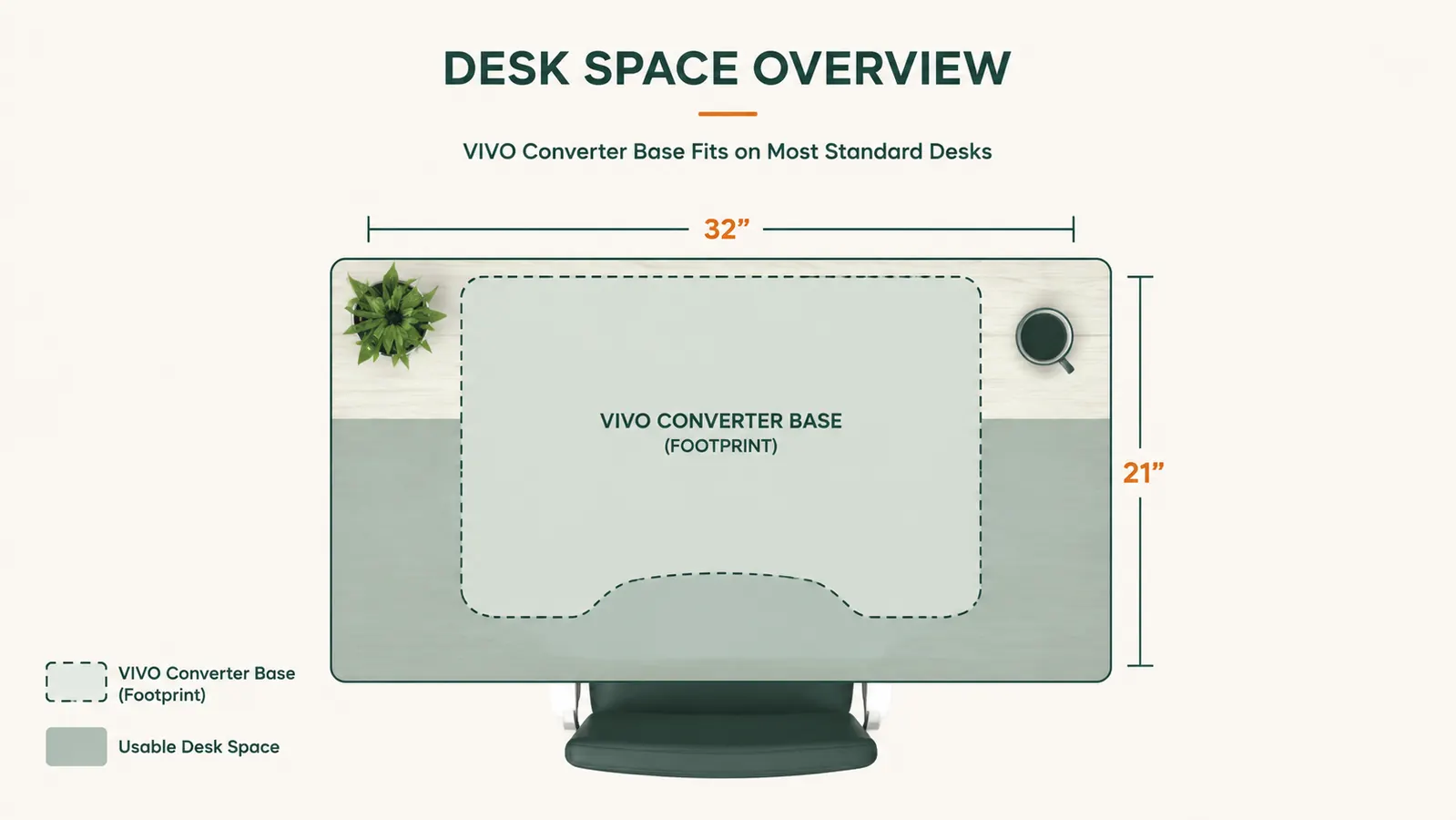
The base of the VIVO K-Series is about 21 inches deep. When the platform is lowered to sitting position, those 21 inches are sitting flat on your desk surface, unusable for anything else. That is not a deal-breaker, but it is something you should know before it arrives. If you have a 48-inch desk, you are working with roughly 27 inches of usable surface to the left and right of the converter. On a 36-inch desk, you are going to feel it immediately.
The other thing the photos skip: this converter does not sit flush with the back of your desk. The scissor-arm mechanism needs space to extend upward, so you have to position it several inches back from your monitor's ideal focal distance. The result is that your monitors end up farther from your eyes than they would on a regular desk. For most people this is fine. If you already sit close to a small monitor, it is worth knowing.
The Wobble Issue: What Is Real and What Is Overblown
Search any review thread for this converter and wobble comes up. Here is an honest account of when it actually matters and when it does not.
At sitting height, with the platform fully lowered, this thing is essentially rock solid. The scissor mechanism compresses and the whole unit becomes a tight, stable platform. At the mid-range heights that most people use for standing, say the 14 to 17 inch lift range, stability is very good. Typing on the keyboard tray at those heights introduces minimal movement to the monitors above.
The wobble that reviewers are reporting tends to happen at two specific conditions: maximum height (the full 17-inch lift), and when a single large monitor is placed off-center on the platform. At full extension, the scissor mechanism has real play in it. If you are 6'3" and need the converter at its maximum height, you will notice it. If you are standing at a normal desk height, this is not your situation. The second condition, off-center loading, is more common and more fixable. Centering your monitor load on the platform eliminates most of the side-to-side flex that people report.
The wobble most reviewers describe is real, but it is mostly a setup problem. Center your monitors, stay in the middle height range, and the platform behaves itself.
The Keyboard Tray: More Useful Than I Expected, With One Catch
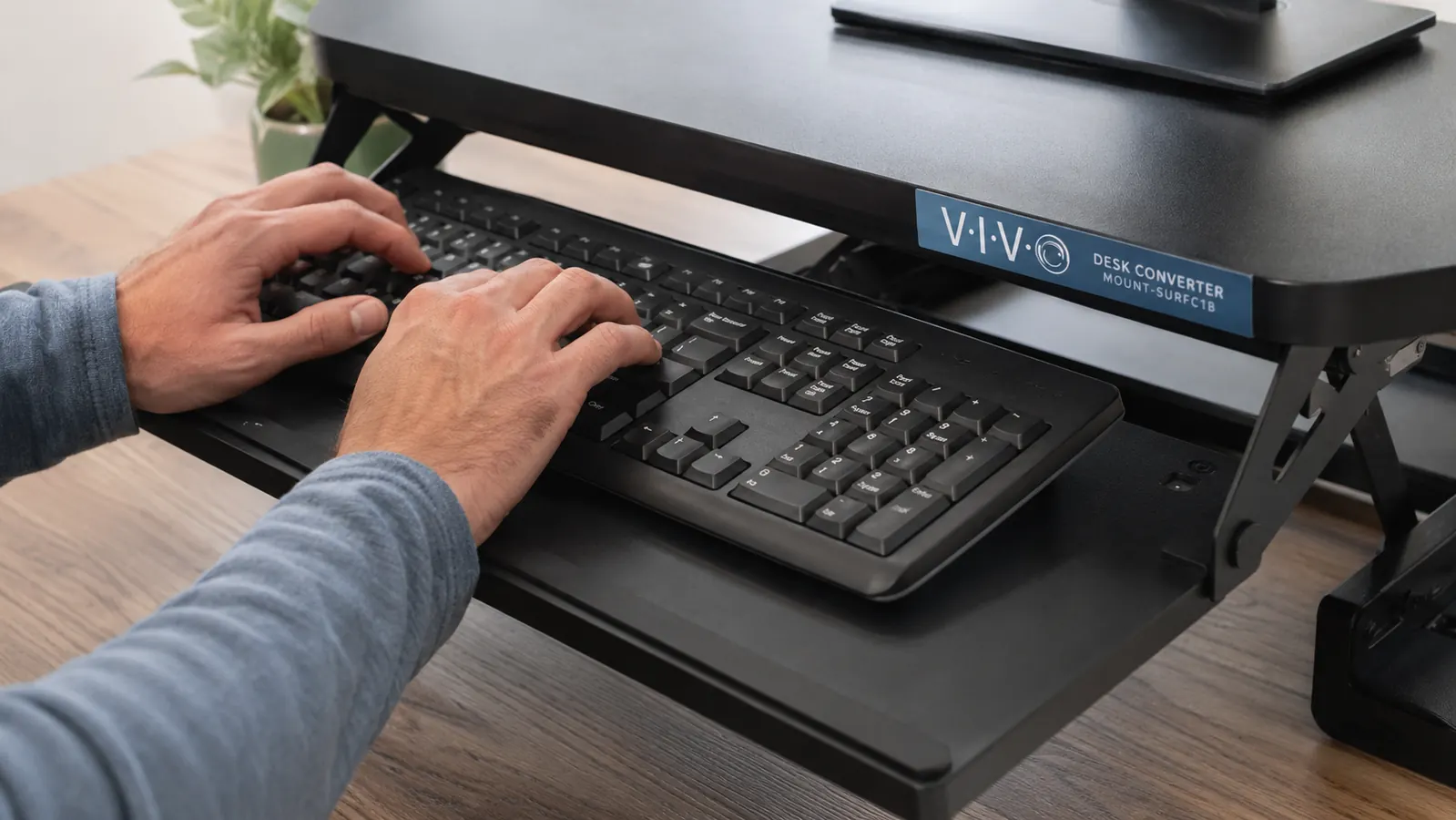
The slide-out keyboard tray on the VIVO K-Series is something I was skeptical about before I used it. It looks like an afterthought in the photos. It is not. The tray slides smoothly, holds a full-size keyboard and mouse without complaint, and positions your hands at a proper ergonomic angle when you are standing. That is the good part.
The catch is that the tray does not tilt. If you are used to a negative-tilt keyboard setup or you have already worked out a very specific typing angle for wrist health reasons, the flat tray is going to feel wrong. You can add a thin wrist rest to compensate, but you cannot tilt the tray itself. For most people this will not be an issue. For anyone who has been through physical therapy for wrist problems, it is worth knowing before you buy.
The tray also does not extend far enough to clear a very deep monitor base. If your monitor sits on a thick stand that protrudes far forward on the desk platform, the keyboard tray may not have full clearance when it slides out. Measure your monitor stand depth before assuming this will not be a problem.
Dual Monitor Reality Check
The VIVO K-Series is sold as a dual monitor and laptop stand. It will physically hold two monitors. But there is a meaningful difference between holding two monitors and holding two monitors well.
Two 27-inch monitors side by side put you at about 54 inches of screen width. The VIVO platform is 32 inches wide. That means each monitor will overhang the platform by several inches on each side. This is not a structural problem, monitors are designed to be bottom-supported. But it does mean the platform feels visually tight with large monitors, and the overhang can make the unit feel slightly front-heavy.
Where this converter genuinely shines in a dual monitor setup is with two 24-inch monitors or one larger monitor alongside a laptop. Those configurations sit naturally on the platform without overhanging, center the weight well, and look clean. If you are running a 34-inch ultrawide on its own, it will fit with a few inches of overhang on each side and will be stable at normal heights. A matched pair of 24-inch screens is the sweet spot this product was actually designed around.
Height Adjustment: Smoother Than Budget Converters, Not as Clean as Premium Ones
The gas spring mechanism on the K-Series adjusts with one hand. You squeeze the handles on the sides of the platform, lift or lower, and release. At lighter monitor loads, this is very smooth. At heavier loads, two 27-inch monitors plus accessories, there is some resistance on the way down that requires a firm push. It is not difficult, but it is not effortless either.
Where this matters in practice is in the transition habit. If adjusting your height is smooth and easy, you actually do it multiple times a day, which is the whole point of a converter. If it requires any real effort, most people stop doing it and the thing becomes a fixed-height desk riser. Based on my use, lighter monitor setups will keep the adjustment habit alive. Heavy dual-monitor setups may make you more likely to pick a height and stay there.
One thing the converter does well that budget alternatives do not: it remembers no specific height positions, but the gas spring holds whatever height you set reliably throughout the day. There is no drift. You set it at 15 inches in the morning and it is still at 15 inches when you come back from lunch. That sounds like a minimum requirement, but it is not universal among converters in this price range.
What I Liked
- Gas spring holds height reliably throughout the day with no drift
- Keyboard tray positions hands at a proper ergonomic standing angle
- Setup takes under 20 minutes with basic tools, no professional assembly required
- Fits two 24-inch monitors or one large monitor and a laptop without overhanging
- 4.6 stars across more than 12,000 reviews is a real signal of broad satisfaction
- Height range of 4.8 to 17 inches covers most standing desk needs for average desk heights
Where It Falls Short
- Base footprint (21 inches deep) consumes significant desk surface when lowered
- Platform feels tight with two 27-inch monitors, visible overhang on each side
- Keyboard tray does not tilt, limiting ergonomic customization for wrist-conscious users
- Maximum-height stability is noticeably weaker than mid-range stability
- Heavy dual-monitor loads make height adjustment require more effort than expected
The One Thing I Wish Someone Had Told Me Before I Bought
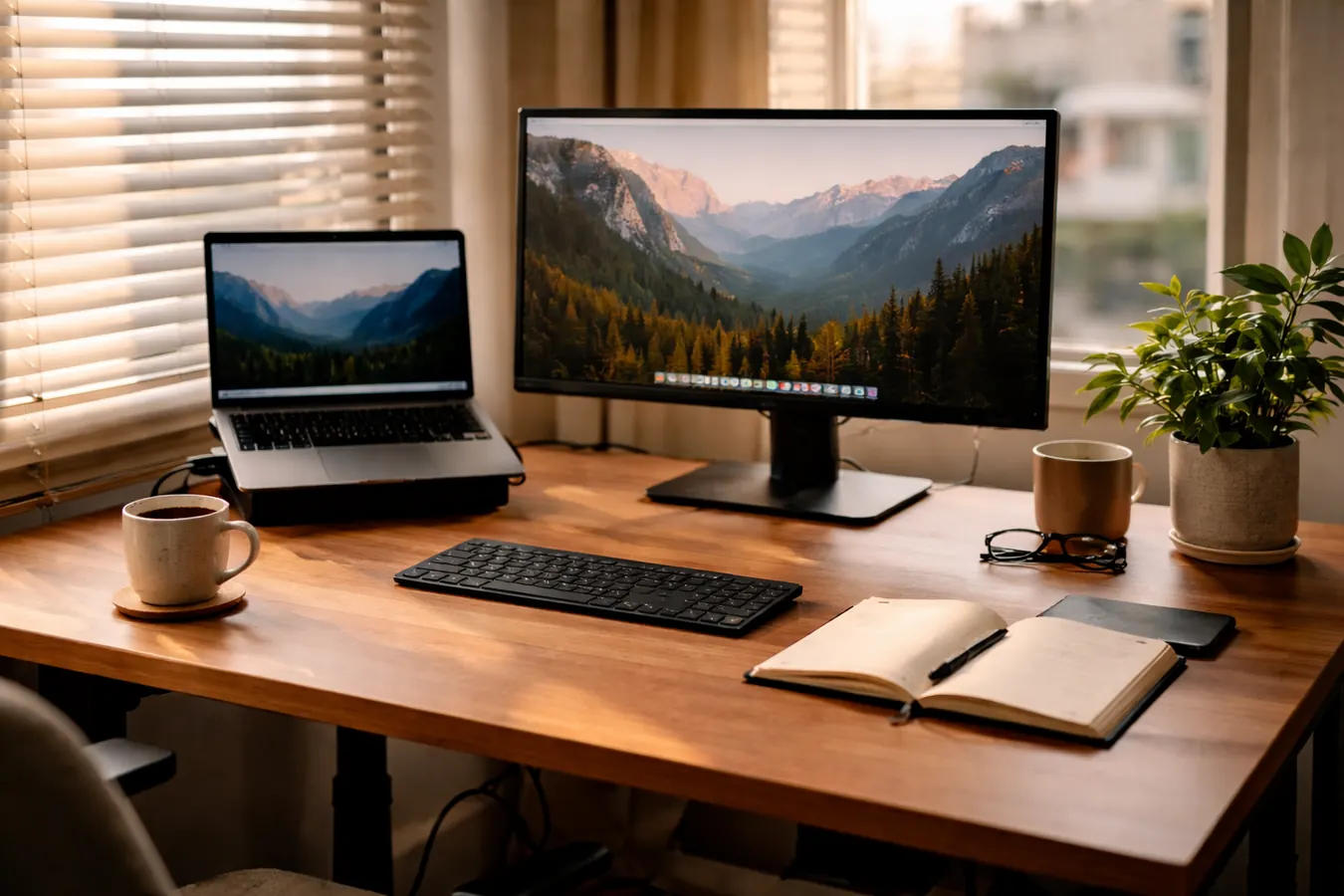
Here is what nobody put in the reviews I read before buying: the VIVO converter changes the ergonomics of everything on your desk, not just your monitor height. When the platform is raised, your monitor goes up. But your desk surface, where your mouse and anything you reach for stays at the same height. So you end up with your screen at standing height and your hand dropping down to a desk-level mouse every few minutes.
The keyboard tray solves this for the keyboard. But if you use a mouse regularly, it either lives on the tray beside the keyboard (possible but cramped) or it stays on the desk surface below (which means your arm angles down whenever you need it). Most remote workers adapt to this quickly, but it is a real ergonomic consideration that the product page does not address. The honest setup recommendation: pair this with the keyboard tray and commit your mouse to that tray as well, even if it feels tight at first.
Who This Is For
The VIVO K-Series converter is the right buy for the remote worker or freelancer who is sitting all day on a fixed-height desk, has started to feel it in their back or neck, and wants a standing option without spending heavily on a motorized full desk. If your desk is between 42 and 60 inches wide, you have good monitor clearance, and you are running a single large monitor or dual 24-inch screens, this converter will serve you well at its price point. It is not the most refined product on the market, but it is a genuinely functional one at a price most home office workers can justify without a business case.
Who Should Skip It
If your desk is 36 inches wide or smaller, the base footprint of this converter will eat more surface than you can spare. Go with a narrower converter or budget for a full sit-stand desk instead. If you are using a pair of 27-inch or larger monitors and you care about stability, either look at a premium converter with a wider platform and tighter mechanism, or step up to a full standing desk with a monitor arm. And if you need precise keyboard tilt for wrist health reasons, the non-tilting tray is a hard limitation that will frustrate you quickly. The VIVO converter rewards the right setup. If your setup does not match it, the frustrations pile up fast.
Still sounds like the right fit? Check current pricing before your next sit-all-day workday.
The VIVO 32-inch K-Series converter is consistently one of the best-value desk risers available. Current price and shipping speed matter, so check today before committing to another week of sitting.
Amazon Check Today's Price on Amazon →