I spent three years typing on a full-size keyboard with a numpad I never touched. The numpad pushed my mouse out to the right, my right shoulder crept forward to reach it, and by Friday afternoon I felt the tension in my neck. I swapped in a compact wireless keyboard about fourteen months ago, specifically the Logitech MX Keys Mini, and several small annoyances I had accepted as permanent just went away. This list covers the ten reasons that switch paid off.
These are not theoretical benefits. Each one is something I noticed in daily use at my home office desk, working a full eight-plus hours a day. If you are still using a keyboard you grabbed from a box five years ago, this is worth five minutes of your time.
Your shoulder is not supposed to ache by Thursday. A compact wireless keyboard moves your mouse back where it belongs.
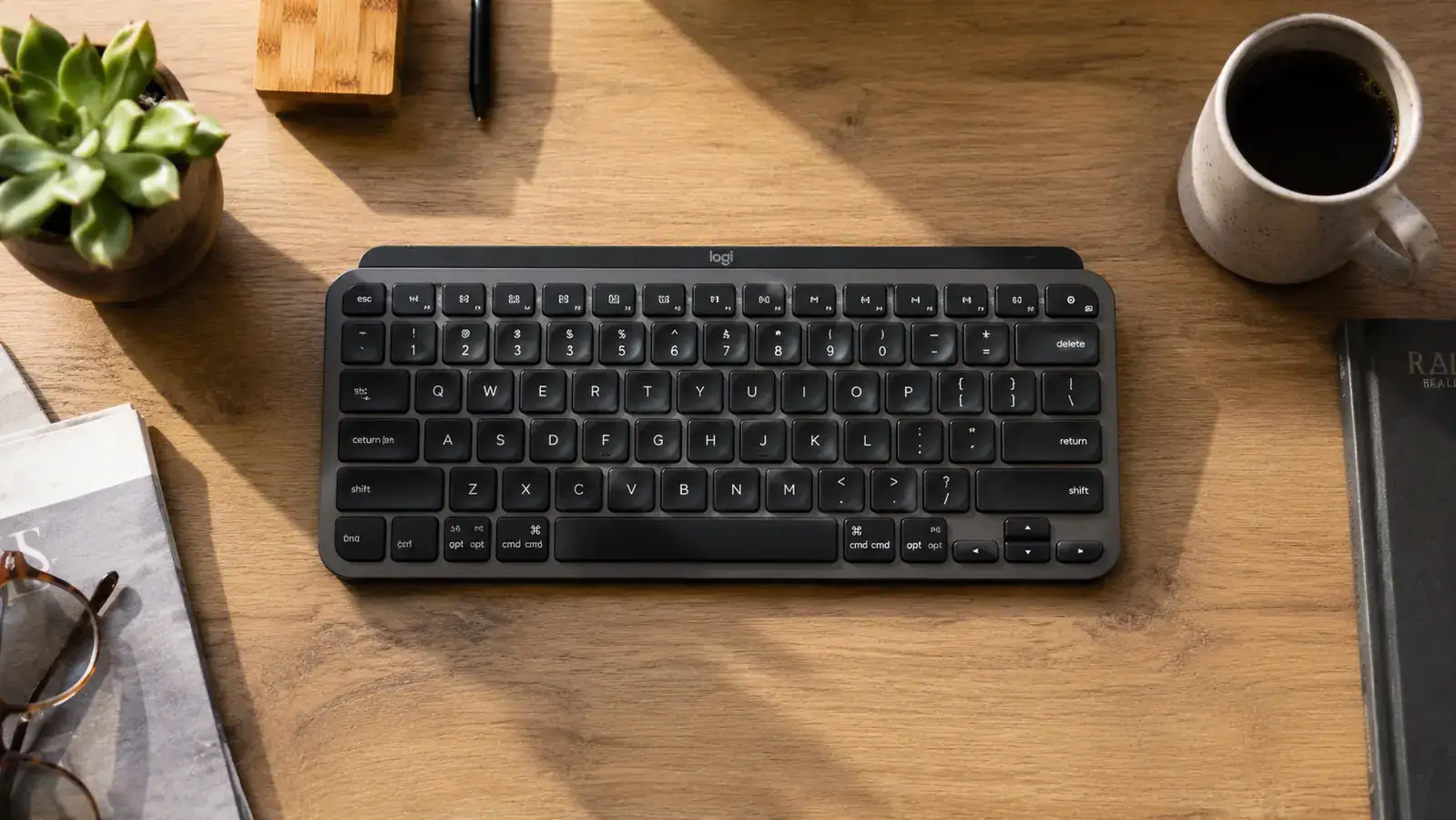
The Logitech MX Keys Mini has 4,149 reviews on Amazon and a 4.5-star rating. Backlit keys, Bluetooth multi-device pairing, USB-C charging, and a build that feels like it cost twice the price.
Amazon Check Today's Price on Amazon →Your mouse hand moves back to a neutral position
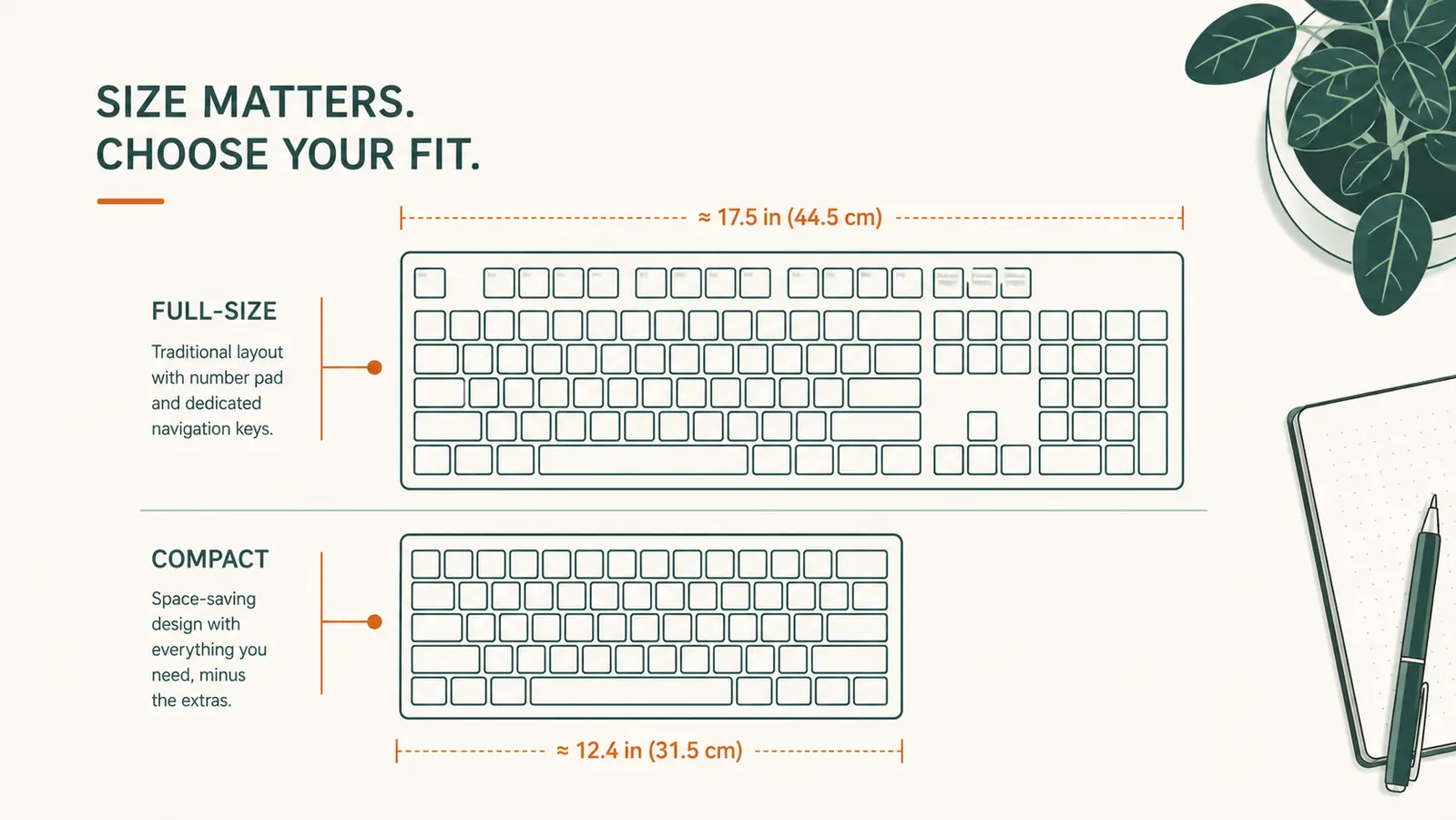
A standard full-size keyboard with a numpad is roughly 17 to 18 inches wide. A compact tenkeyless layout cuts that to about 11 to 12 inches. That 5 to 6 inches is not a rounding error. It is the difference between your right elbow sitting naturally at your side versus being extended and slightly forward all day. The MX Keys Mini sits at about 11.6 inches across. After one week I noticed my right shoulder had dropped. I had not been trying to fix that. The geometry fixed it on its own.
You get meaningful desk space back
Even on a large desk, surface area gets claimed fast: monitor, lamp, notebook, water bottle, maybe a webcam stand. A compact keyboard frees up a visible strip of desk in front of your monitor. On my 60-inch desk that stripe of recovered space ended up holding a notepad I can actually reach without rearranging anything. Sounds minor. After two weeks of having it there it stopped seeming minor.
Bluetooth pairing lets you drop the cable entirely
The MX Keys Mini pairs with up to three devices and switches between them with a single key press. My work laptop is device one, my personal Mac is device two. I hit one button, I am typing on the other machine. No replugging, no dongle hunting, no cable snaking across the desk. The battery lasts around five months with backlighting off and about ten days with it on, charged via USB-C, which I already have on my desk for my phone. Zero extra cables required.
Backlit spherical keys reduce typing errors on late calls
The MX Keys Mini uses spherical key wells, meaning each key is slightly concave and shaped to the curve of your fingertip. Logitech calls this their smart illumination, where the backlight turns on automatically when your hands approach and dims when they pull away. In practice this means I can type during a screen share at 7pm without hunting for keys in dim light. Fewer typos in client messages at the end of the day is a small but real win.
The typing feel is noticeably better than most office keyboards
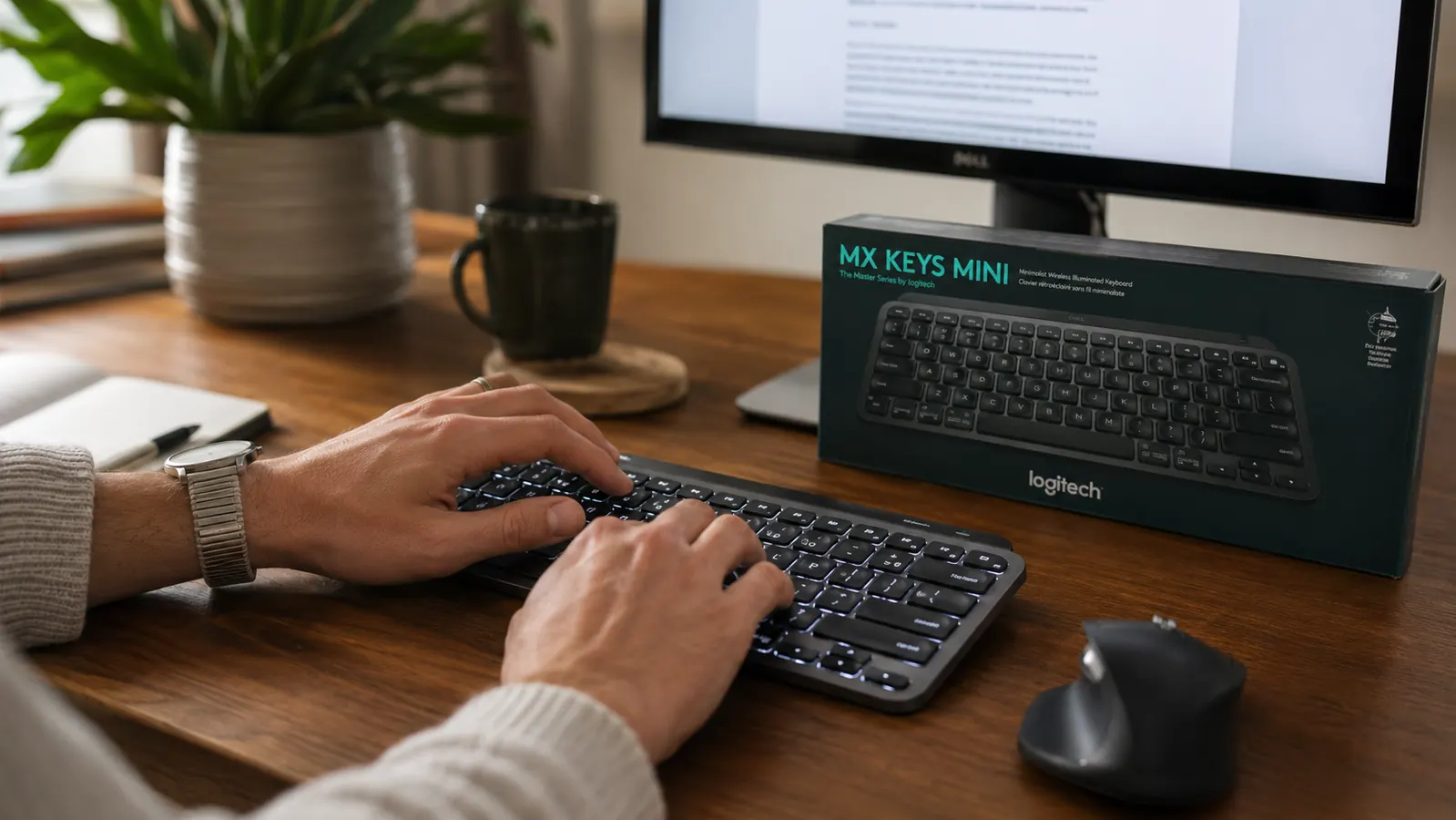
Most bundled or cheap replacement keyboards use membrane switches that feel soft and imprecise. The MX Keys Mini uses scissor switches with 1.8mm of travel and a tactile bump that registers cleanly. It is not a mechanical keyboard, and if you want loud clicky switches this is not your board. But for a home office where you are on calls most of the day and need quiet keystrokes that still feel intentional, the MX Keys Mini sits in a comfortable middle ground. I type faster and make fewer errors than I did on the full-size Dell that came with my office setup.
Travel becomes significantly easier
If you ever work from a coffee shop, a coworking space, or a hotel room, a compact keyboard changes your bag situation. At 11.6 inches long and 0.52 inches thick at its slimmest point, the MX Keys Mini fits flat in a laptop sleeve with room to spare. My full-size keyboard was physically impossible to carry anywhere. Now when I need to be away for a few days, the same keyboard I use at my desk comes with me and the experience is identical.
The first week I used a compact keyboard I thought I would miss the numpad. Fourteen months later I could not tell you the last time I needed it.
Multi-device switching reduces context-switching friction
When everything on my desk lives on one keyboard, moving between tasks is faster. I assign my work machine to slot one, personal machine to slot two, and my iPad to slot three. The key press to switch is a single button in the top row. It sounds like a convenience feature. In practice it means I stop getting out of flow just because I need to type a quick personal note or grab something on a second machine. The friction reduction adds up over a full workday.
A cleaner desk is easier to actually work on
There is a version of this that sounds like lifestyle advice and I want to be clear that is not what I am saying. A cleaner desk is more functional. Fewer objects to knock over, faster to find your notebook, easier to set down a coffee without rearranging. A compact keyboard is one of the easier ways to reduce physical desk clutter without buying a cable management system or rethinking your whole setup. Remove one big object, gain meaningful working surface.
Battery life means one less thing to manage
The MX Keys Mini charges via USB-C and holds a charge for roughly five months with backlight off, or about ten days with it on all day. I charge mine every two or three weeks with the light on at moderate brightness. Compare that to a mouse that needs batteries every few months or a wireless keyboard that needs AA batteries and a USB receiver. USB-C means I use the same cable I charge my phone with. One less drawer of miscellaneous charging hardware.
It makes you actually think about your desk layout
This last one is a secondary effect. When you swap in a compact keyboard, you have space to reconsider where everything else sits. That reconsideration is usually useful. I moved my monitor two inches closer after the keyboard swap, which put the screen at a slightly better viewing distance. I added a small tray to the newly open area. The keyboard itself did not do those things, but it created the conditions for them. A small ergonomic win can cascade into a better overall setup if you pay attention.
What I Would Skip
If you do accounting work or spend significant time in Excel navigating large spreadsheets, the missing numpad will slow you down. The MX Keys Mini does not have one, and there is no workaround except adding a separate number pad, which defeats part of the point. For pure typing, email, documents, and coding it is a clean trade. For number-heavy work, be honest with yourself about how often you actually use the numpad first. If the answer is daily, look at the full-size MX Keys instead.
There is also a real-world price to consider. The MX Keys Mini sits at the upper end of mainstream wireless keyboards. If you are on a tight budget and a basic Bluetooth keyboard will cover your needs, the premium may not be worth it right now. But if you are spending eight hours a day on a keyboard, the cost works out to a few cents per day of use, and the typing feel and build quality hold up. See my full year-long review of the MX Keys Mini for a detailed breakdown, and read through how to reduce wrist strain when typing all day if that is a concern.

Eight hours a day on a bad keyboard is not a neutral choice. The setup you work on shapes how you feel by 5pm.
If any three of those ten reasons apply to your setup, the MX Keys Mini is worth a serious look.
Logitech MX Keys Mini. 4.5 stars. 4,149 reviews. Bluetooth multi-device pairing, USB-C charging, backlit spherical keys. Built for remote workers who need a reliable keyboard that earns its desk space every day.
Amazon Check Today's Price on Amazon →