

About two years into full-time remote work, I started ending my days with a low-grade ache in both wrists. Not sharp pain, just a dull persistence that started around 3pm and stayed through dinner. I ignored it for months because the internet told me the fix was an expensive ergonomic keyboard, a wrist rest, or a standing desk, and I did not want to spend money to find out none of it worked. What I eventually learned is that wrist strain from typing has a handful of well-understood causes, and fixing them is mostly free except for one gear decision that genuinely matters.
This guide covers five specific steps I used to get through a full eight-hour typing day without that afternoon ache. The Logitech MX Keys Mini plays a real role in step five, but the first four steps cost nothing and account for most of the improvement on their own. If you skip steps one through four and only buy a keyboard, you will probably still hurt.
Typing 6+ hours a day and feeling it in your wrists? The keyboard you are using may be making it worse.
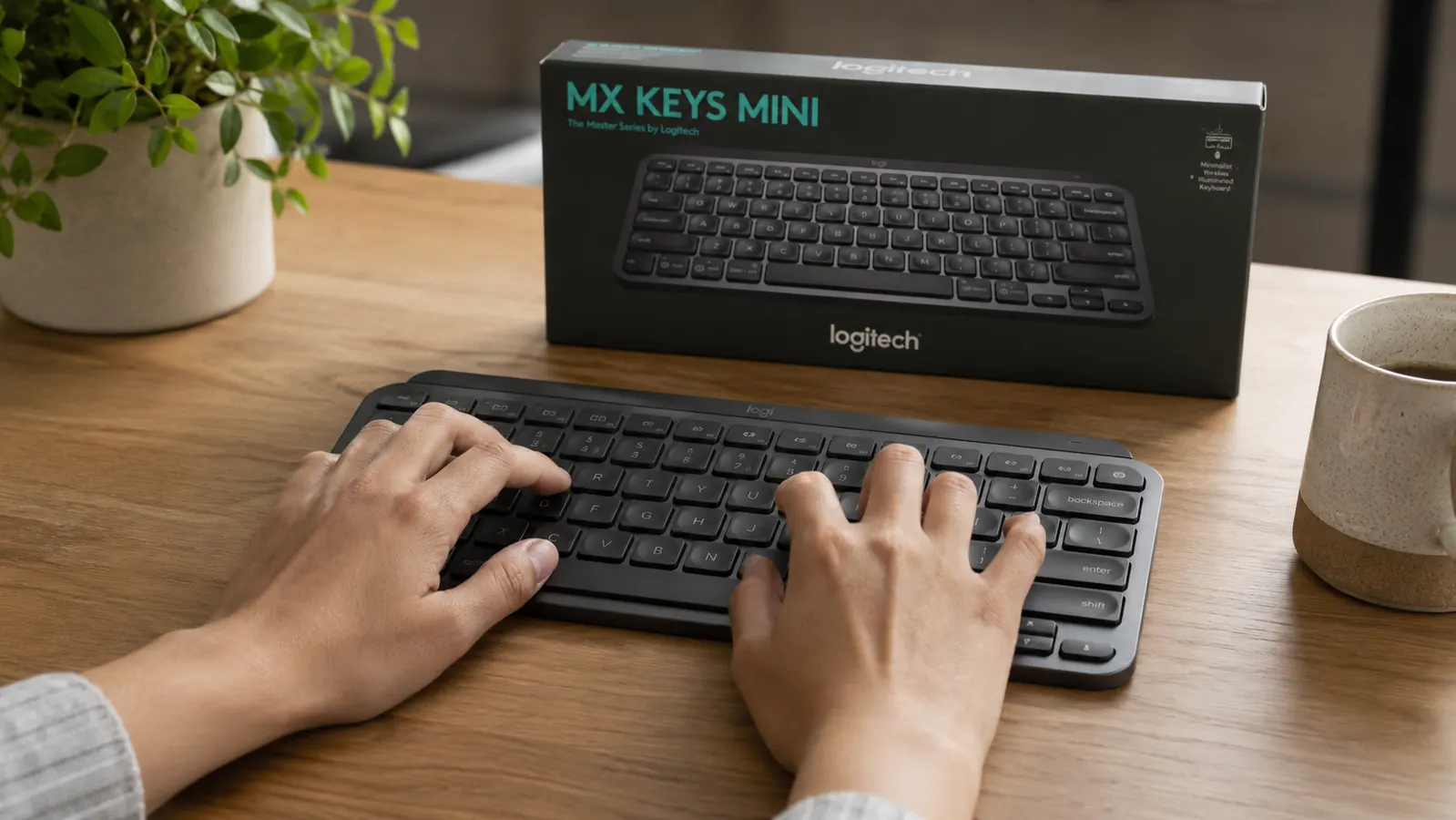
The Logitech MX Keys Mini has a flat, low-profile key layout that keeps wrists in a neutral position naturally, without a wrist rest wedge or a typing angle adjustment. It is what I switched to after two years of wrist discomfort, and it made a measurable difference starting in the first week. Check today's price and availability on Amazon before you spend more time on a keyboard that is fighting your posture.
Amazon Check Today's Price on Amazon →Step 1: Get Your Keyboard at True Elbow Height
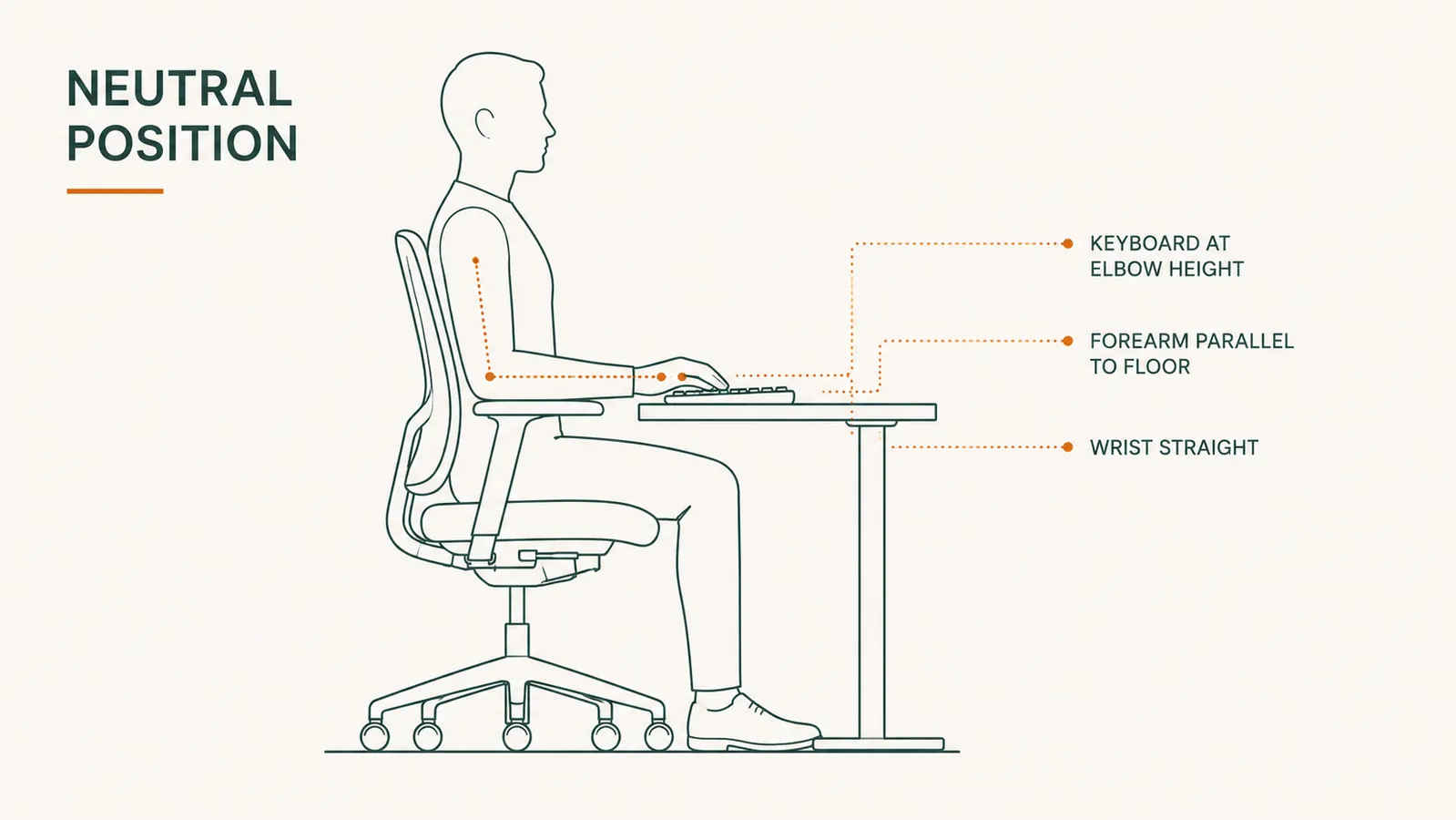
The single most overlooked cause of wrist strain is desk height. Most home office desks sit at 29 to 30 inches, which is the right height for someone about 6 foot 1. If you are shorter than that, your keyboard is likely too high, which forces you to lift your wrists slightly to reach the keys all day. That sustained elevation is what creates fatigue. Your forearms should be roughly parallel to the floor, with your elbows at or just above the keyboard surface.
Before buying anything, sit at your desk and check. Rest your hands on the keyboard. If your wrists are angled upward, your desk is too high for your height. The fix is either a keyboard tray that mounts below the desk surface, or a chair that is adjustable enough to bring your elbows level. A keyboard tray costs around 30 to 50 dollars and is the best ergonomic investment most people with fixed-height desks never consider. I used a Mount-It under-desk tray for six months before I changed anything else, and it cut my afternoon ache in half on its own.
One more thing: the keyboard tilt matters, too. Most keyboards ship with the rear feet flipped out, which angles the far edge upward. That positive tilt looks natural but forces extension in your wrists all day. Fold the feet flat or tilt the back of the keyboard slightly downward if your setup allows it. Flat or very slightly negative tilt keeps the wrist in the neutral position it wants to be in.
Step 2: Stop Resting Your Wrists While You Type
This one surprised me. I had a wrist rest and I thought it was helping. It was not. Wrist rests are designed to support your wrists during pauses, not while you are actively typing. When you rest your wrists on a pad and then type, you are bending the wrist upward to reach the keys while adding compression to the carpal tunnel area at the same time. That combination is worse than no wrist rest at all during active typing.
The correct technique is to float your hands slightly above the keyboard when typing and only allow your wrists to rest during genuine pauses, like when you are reading back what you wrote or waiting for a page to load. It feels awkward for about three days. After that it becomes automatic. Your forearm muscles will do more work initially, which is correct because the load should be distributed across a larger muscle group rather than concentrated at the narrow wrist joint.
Wrist rests are for pauses, not for typing. Using one during active keystrokes is the most common mistake I see in remote worker home office setups.
Step 3: Move Your Mouse Closer
Wrist strain is not always about the keyboard. If your mouse is sitting out at arm's length because your keyboard is wide, you are reaching and rotating your shoulder outward every time you grab it. That shoulder rotation transfers tension through the forearm to the wrist. A compact keyboard without a numpad closes this gap significantly. With a full-size keyboard, your mouse ends up six or seven inches further from center than it needs to be.
Even if you keep your current keyboard, consciously push the keyboard slightly to the left of center and position the mouse closer to your body line. The mouse should sit where your hand naturally falls when your arm is at rest, not where you have to reach for it. If your desk is cluttered and there is no space to bring the mouse in, decluttering the desk surface addresses more than one problem at once.
Vertical mice also help for people whose mouse-side wrist is the primary complaint. They hold the hand in a handshake orientation rather than a palm-down orientation, which reduces the forearm pronation that builds up over an eight-hour session. I use a Logitech MX Vertical for about a third of my workday and it makes a real difference on heavy editing days.

Step 4: Build a Real Break Schedule and Actually Keep It
The phrase 'take breaks' is useless without specifics. Here is what the research says and what I actually do. The goal is to prevent sustained static loading of the wrist tendons, which starts accumulating meaningful damage around the 25 to 30-minute mark of continuous typing. A brief two-minute pause with light movement resets the tissue load almost completely.
I use a simple 25-minute work block followed by a 5-minute break, which maps to the Pomodoro structure most people have heard of. During the break I do three specific stretches. First: extend one arm palm up, grab the fingertips with the other hand, and gently pull back until you feel a stretch along the underside of the forearm, 20 seconds each side. Second: prayer position, palms together in front of your chest, lower the hands slowly until you feel the stretch in the wrist flexors, 20 seconds. Third: make a fist, then open the hand wide and spread the fingers, 10 repetitions. These are the three that my physical therapist showed me after I finally went to see one, and they work.
The break schedule also matters for your eyes and your neck, both of which feed tension into the shoulder and down the arm. A 25-minute focus block is aggressive enough to stay productive but short enough that you never reach the point of no return in any single muscle group.
Step 5: Switch to a Keyboard That Does Not Work Against Your Wrists
After doing the first four steps, I still had mild residual wrist fatigue on heavy writing days. That is when I looked more carefully at the keyboard itself. I had been using a full-size mechanical keyboard with a 1.5-inch rear profile, which meant my wrists were in a lifted, extended position for most of each keystroke. The actuation force was also higher than it needed to be, which meant I was pressing harder than necessary on every one of the several thousand keystrokes that add up across a workday.
I switched to the Logitech MX Keys Mini in late 2024 and have been using it daily since. The key profile is very low, which keeps my wrists naturally closer to neutral without any tilt adjustment needed. The keys use a spherical dish shape that guides each finger into center on contact, which reduces the micro-corrections your fingers make on flat-topped keycaps. Actuation force is light without being mushy, so I am not pressing hard to register each key but I still get clear tactile feedback. The compact layout brought my mouse in by about five inches, which pairs directly with step three above.
The MX Keys Mini is Bluetooth and connects to up to three devices with a dedicated key switch, which matters for my setup where I go between a MacBook and a Windows workstation throughout the day. Battery life has been exceptional. I charge it roughly every six to eight weeks. The backlight is useful for evening sessions and dims automatically when I am not actively typing. At its current price point it sits above budget keyboards but well below the specialty ergonomic keyboards that get recommended to people with wrist problems, and it performs better for daily typing than most of those specialty options because it does not try to reinvent the keyboard layout.
One honest note: if your wrist discomfort is severe or has been present for more than a few weeks, see a doctor before assuming a keyboard swap will fix it. Repetitive strain injuries need actual medical evaluation, not just better gear. The MX Keys Mini is a complement to good habits and ergonomic setup, not a substitute for them. For the ordinary low-grade wrist fatigue that builds up over a day of typing in a suboptimal setup, though, it is the clearest single-product improvement I found.
What Else Helps
A few secondary factors worth mentioning. First, posture above the wrists. If you are slumped forward with your neck craning toward the screen, the tension that travels through the shoulder and down the forearm adds load to the wrist even when your keyboard position is correct. Get your monitor at eye level. If you are on a laptop, a stand plus an external keyboard like the MX Keys Mini is not optional, it is the baseline requirement for an ergonomic setup. Laptop use without a stand and external keyboard is one of the fastest paths to wrist, neck, and shoulder problems in remote work.
Second, hydration actually matters for connective tissue health. Tendons and the synovial fluid that lubricates joints depend on adequate water intake. I am not going to oversell this as a cure, but being chronically underhydrated while doing repetitive physical work is a real compounding factor that gets no attention in the home office ergonomics conversation.
Third, if you have a footrest under your desk, your seated posture improves enough that upper-body tension decreases as a side effect. Check the Everlasting Comfort footrest review if you are building out a full ergonomic desk setup. It sounds unrelated to wrist strain, but better hip and lumbar support changes how your whole upper body sits, which cascades forward through the shoulder and arm.
Ready to swap the keyboard that is loading your wrists all day?
The Logitech MX Keys Mini is the most direct single-gear upgrade I made to reduce wrist strain in my home office. Low-profile keys, natural neutral wrist angle, compact layout that brings your mouse closer, and real all-day typing feel without a high actuation force. Read the full in-depth review at <a href="/logitech-mx-keys-mini-review-long-term">Logitech MX Keys Mini: What a Year of Daily Use Taught Me</a>, or check today's price on Amazon and see if it fits your setup.
Amazon Check Today's Price on Amazon →